Skip to content
Rowan
Pre-release · v0.1.0

A fast, quiet PostgreSQL client for Windows.

Opens in under a second, never freezes on a slow query, and shows you exactly what will change before you commit.

Windows 10 & 11 · PostgreSQL · Free trial on the Microsoft Store

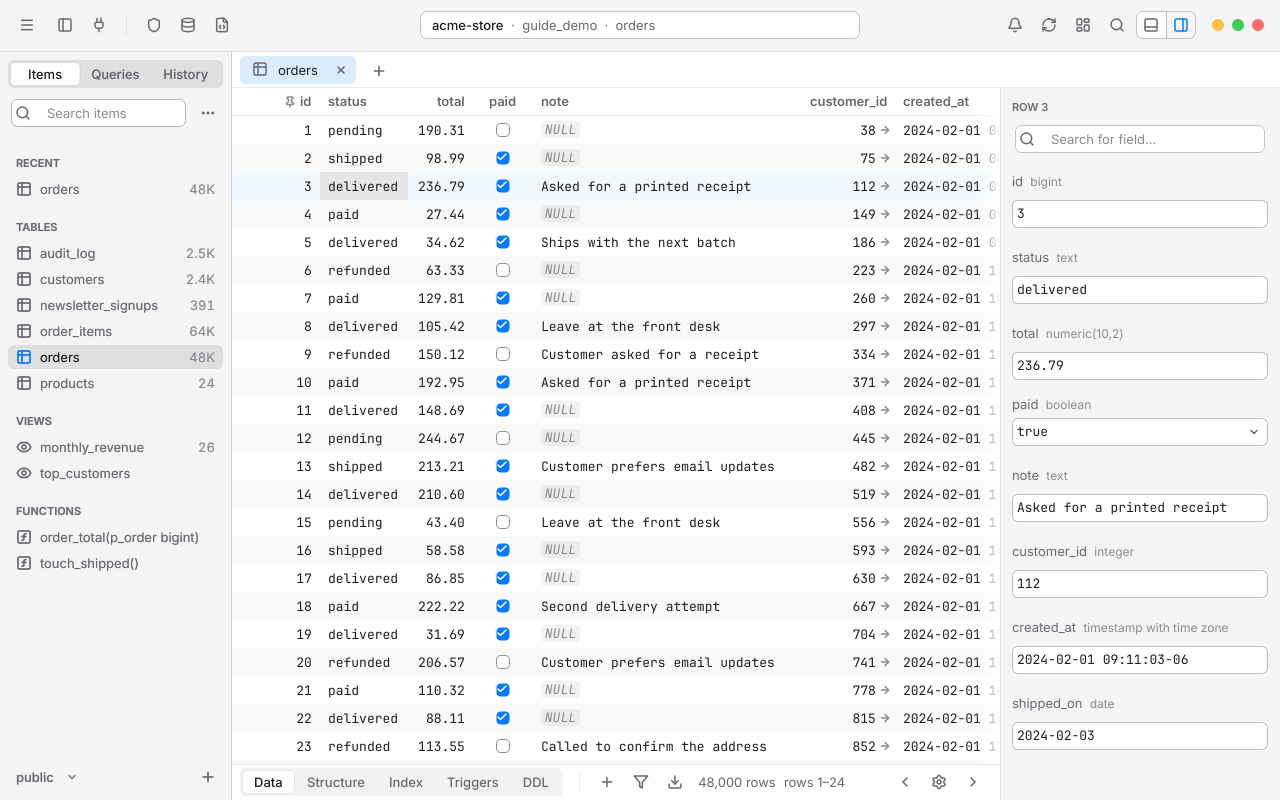
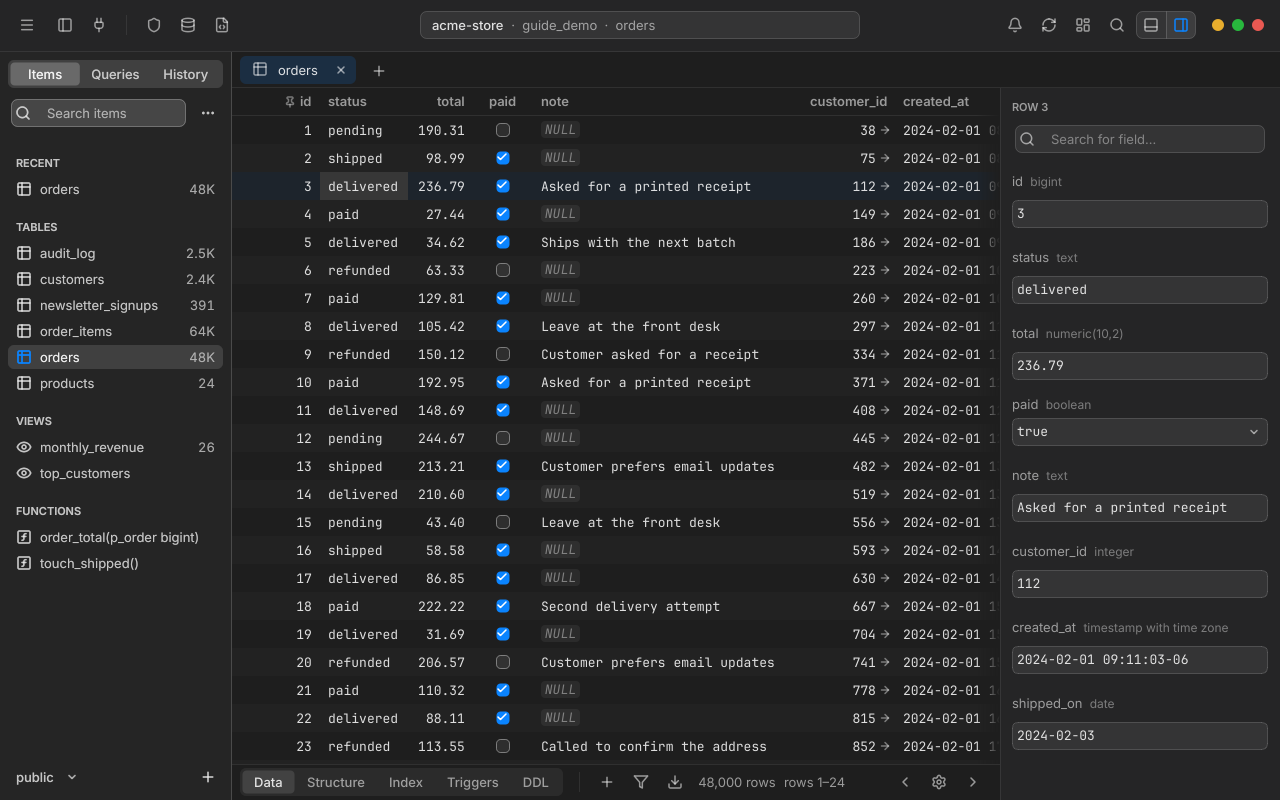
Rowan's workspace on the orders table of a sample store database: the sidebar of tables, views and functions on the left, the grid of orders in the middle, and the selected row's fields on the right.
  • Opens in under a second.

    Your windows, workspaces and tabs come back where you left them.

  • Never freezes on a slow query.

    The UI thread never waits on the network or the database. Keep working, or cancel, at any time.

  • Nothing is written until you commit.

    Edits wait in a change set. See the exact SQL first, then commit it in one transaction.

Features

Data grid

Millions of rows, no waiting

Rowan pages by primary key, so jumping to row four million of a table is as quick as row one. Sort, filter and inspect without writing SQL.

  • Sort by several columns, with a full filter bar, quick filters and a column filter
  • Pinned columns, and foreign keys you can follow to the row they point to
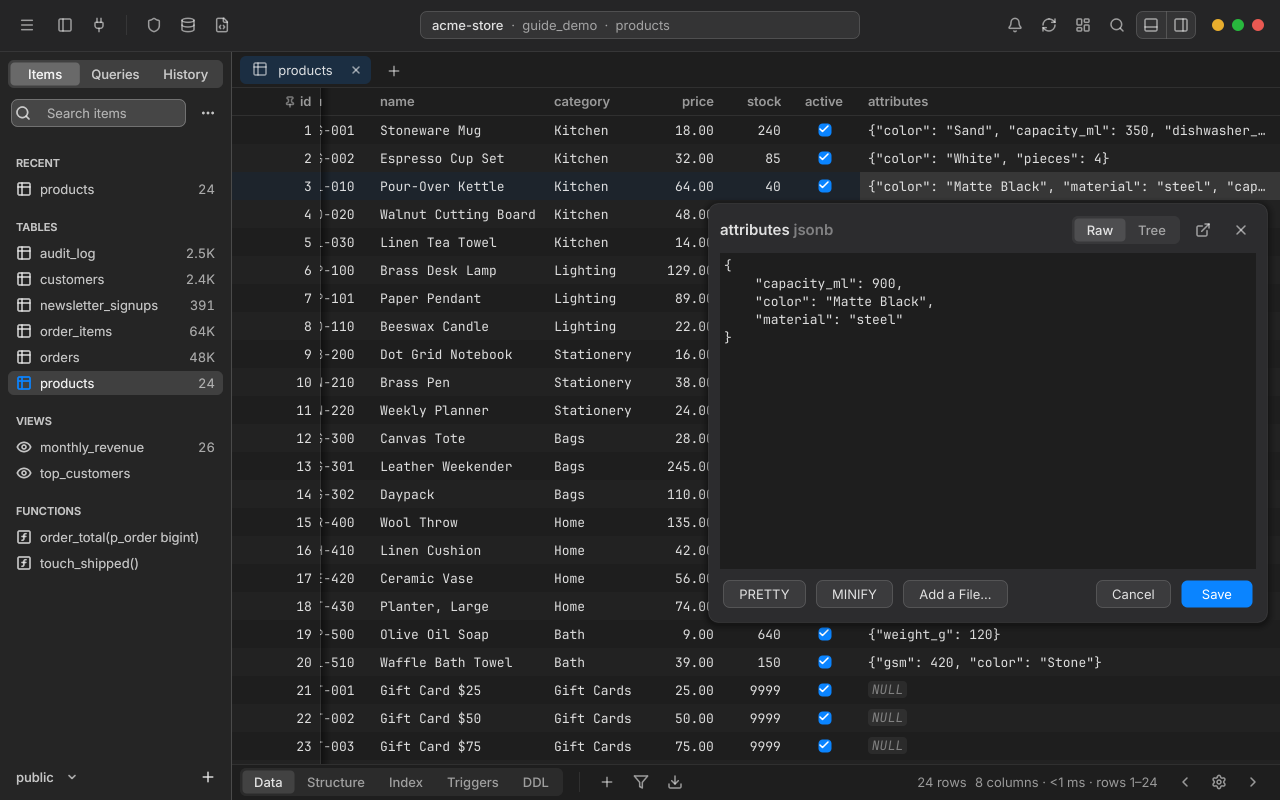
  • Quick Look for JSON, XML, long text and binary values
  • Copy rows as CSV, JSON, Markdown, HTML or SQL INSERT statements
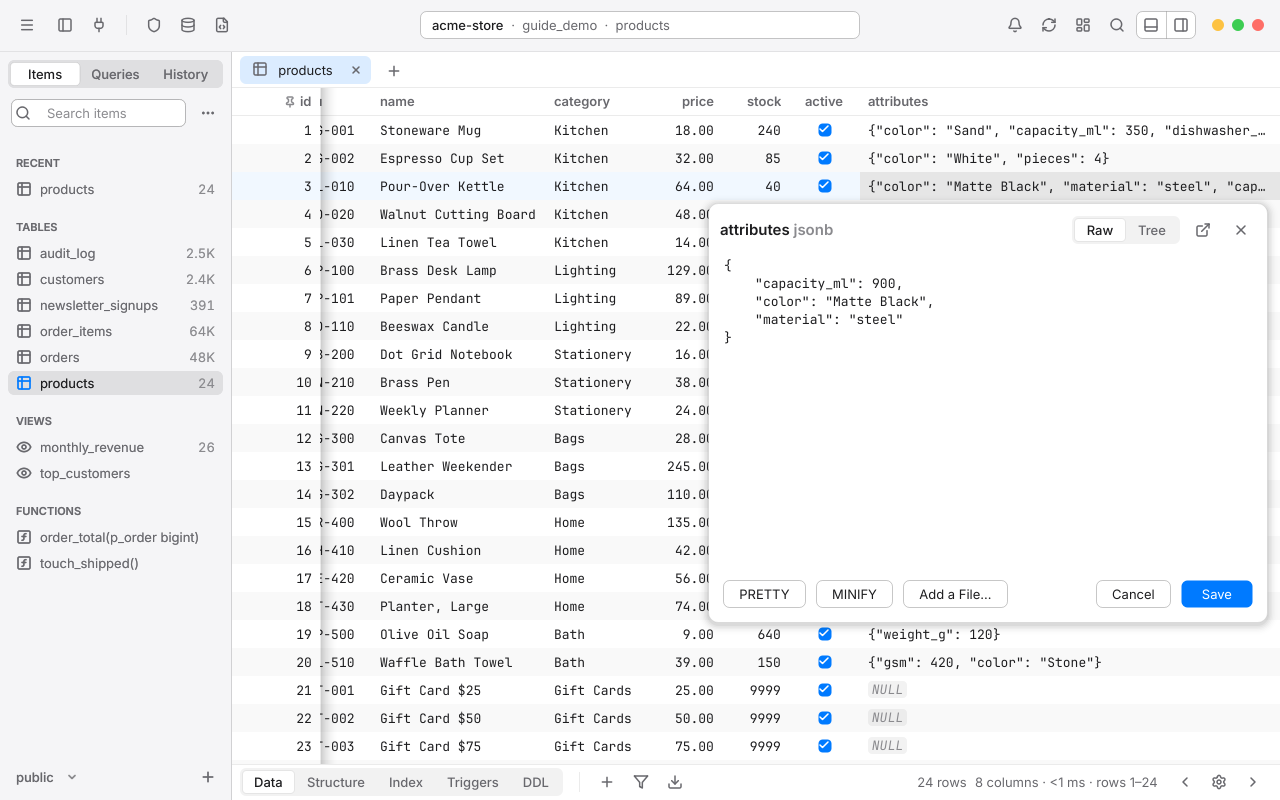
Quick Look open beside a JSON value in the products table, showing it indented, with Raw and Tree views and PRETTY and MINIFY buttons.

Editing

Edit with a safety net

Cell edits, new rows, duplicates and deletes are staged in a change set and tinted in the grid. Nothing reaches the server until you commit.

  • Undo and redo every staged change, in the order you made it
  • Preview the exact SQL before it runs, with each statement's values beside it
  • Commit everything at once, in one transaction, as parameterized statements
  • If any statement fails, the whole commit rolls back and nothing changes

3 pending changes

idColumnBeforeAfter
3statusrefunded
5total249.00
7notecalled back Tuesday
BEGIN;-- public.orders: 3 updatedUPDATE "public"."orders" SET "status" = $1 WHERE "id" = $2;-- $1 = 'refunded', $2 = '3'UPDATE "public"."orders" SET "total" = $1 WHERE "id" = $2;-- $1 = '249.00', $2 = '5'UPDATE "public"."orders" SET "note" = $1 WHERE "id" = $2;-- $1 = 'called back Tuesday', $2 = '7'COMMIT;
What you see in the preview is exactly what's sent.

SQL editor

An editor that knows your schema

Suggestions come from a copy of your schema Rowan keeps in memory, so they never wait on the server. Results stream in a page at a time.

  • Autocomplete for tables, columns, aliases, CTEs and joins from foreign keys
  • Streaming results with Load More, result tabs, and line, bar and pie charts
  • Query parameters, beautify, multiple carets, and find and replace
  • Vim key bindings, and saved queries in folders as plain .sql files
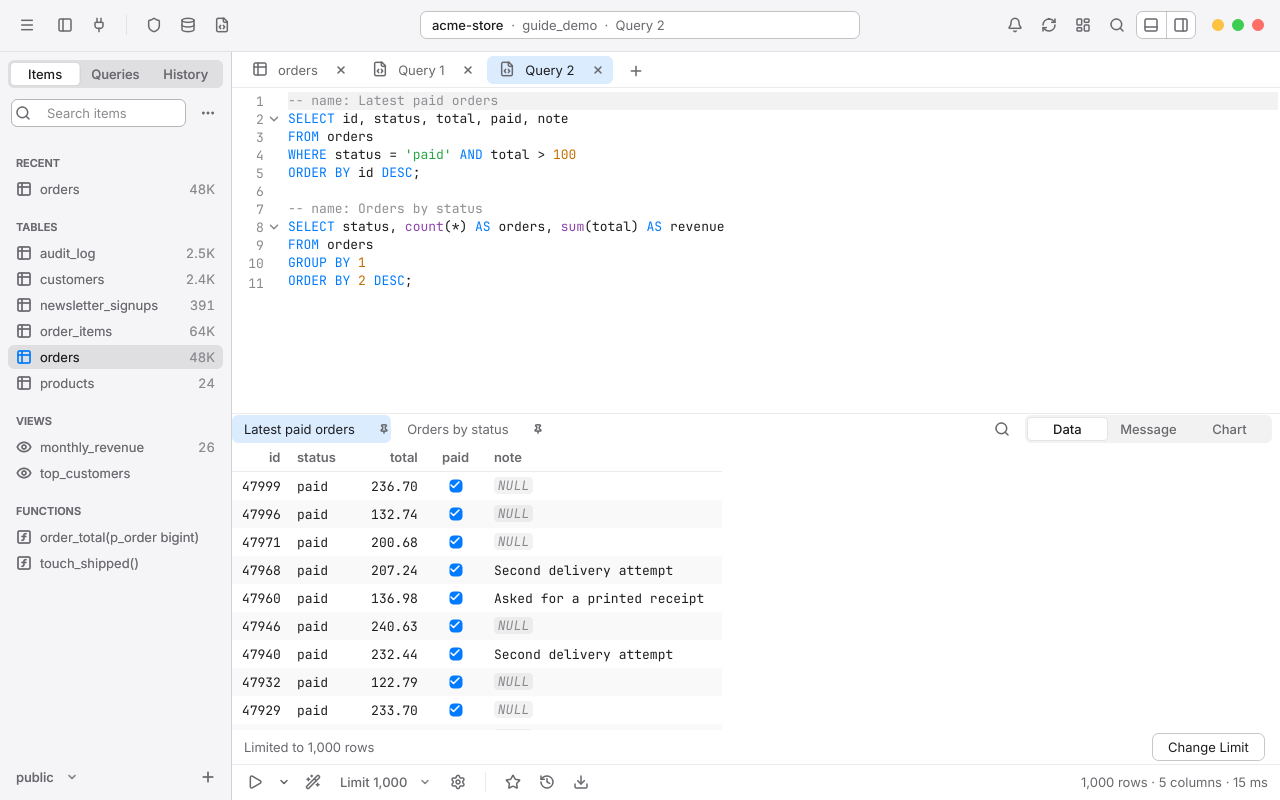
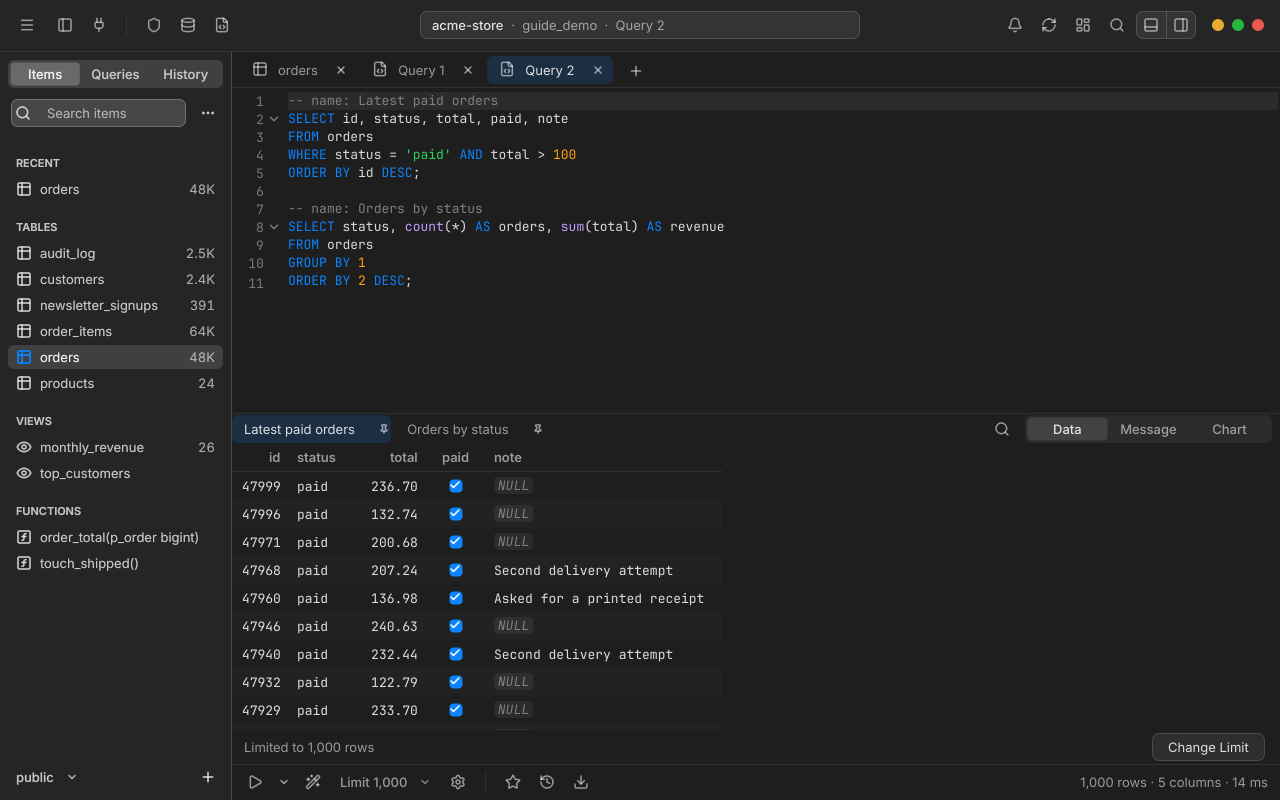
An SQL editor with two named statements, and the first one's result below it in a tab named Latest paid orders.

Keyboard first

Every command has a shortcut

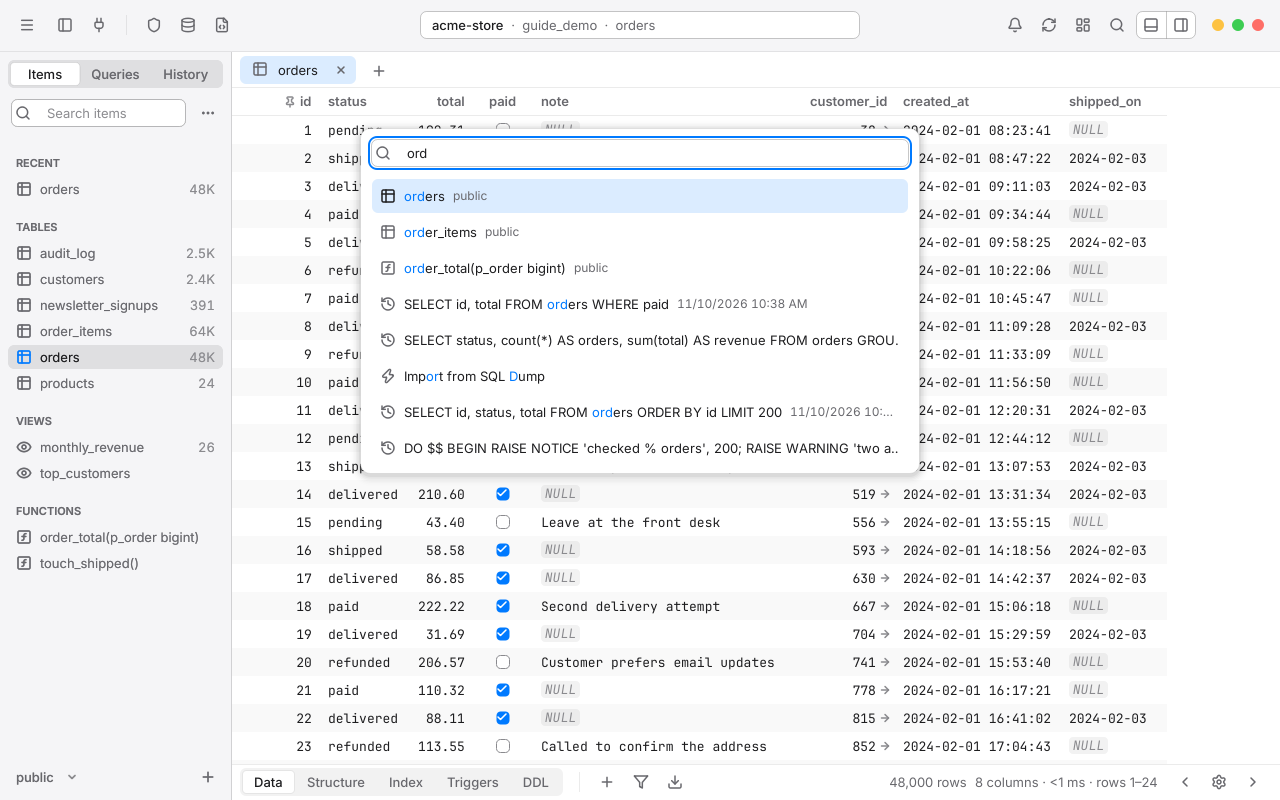
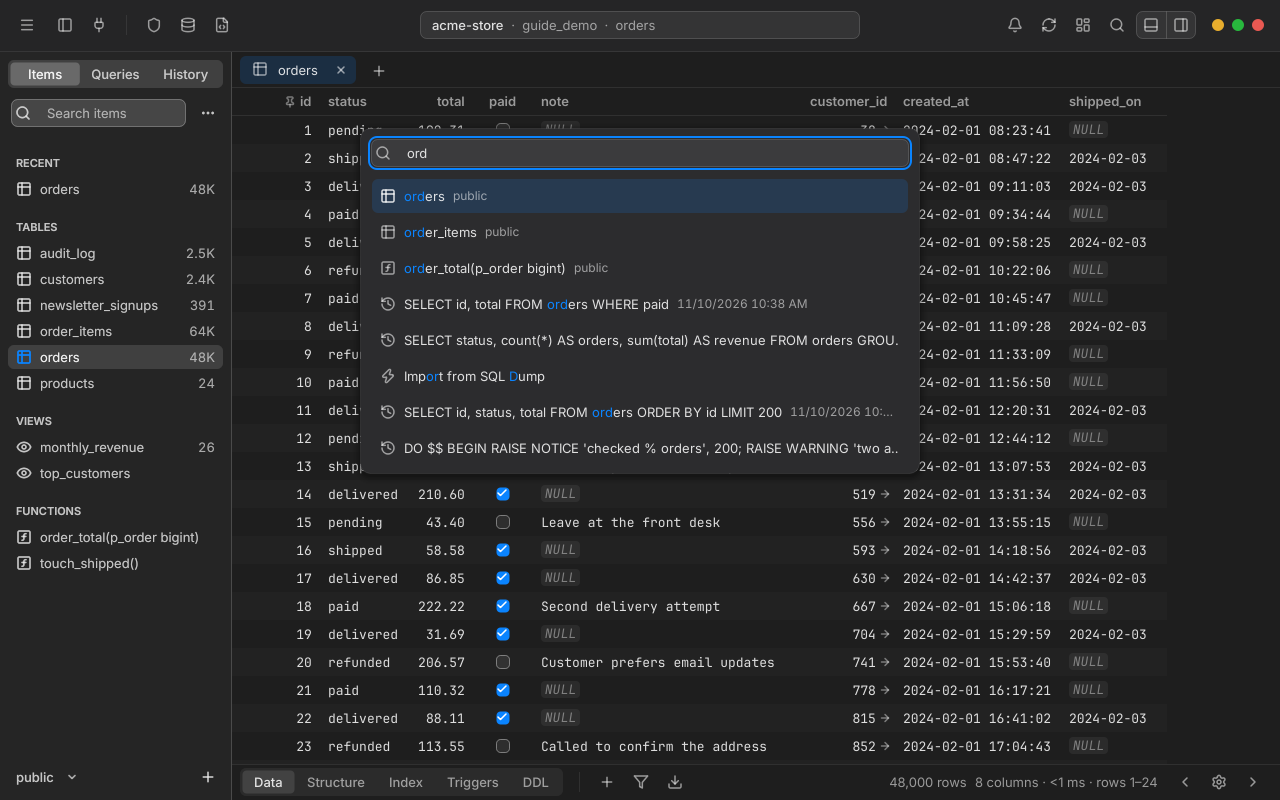
Change any of them in Settings. Open Anything finds a table, view, function, saved query or command from a few letters of its name.

Open Anything
Ctrl+P
Run the current statement
Ctrl+Enter
Preview pending SQL
Ctrl+Shift+P
Commit
Ctrl+S
Reopen a closed tab
Ctrl+Shift+T
Open a database
Ctrl+K
See every shortcut
Open Anything over the orders table. Typing ord matches the orders and order_items tables, a function, recent statements and the Import from SQL Dump command.

Everything else

From the first connection to the last backup

The nine areas Rowan covers, each one described in full in the user guide.

  • Connections

    Groups, tags and status colors, every SSL mode, SSH tunnels, and import from a postgresql:// URL.

  • Workspace

    Tabs, split panes and several windows, with sidebars for items, saved queries, history and row detail.

  • Data grid

    Smooth paging through millions of rows, multi-column sort, filters, pinned columns and Quick Look.

  • Editing

    Inline edits, inserts and deletes staged in a change set, with undo, redo and a preview of the SQL.

  • Structure

    Columns, keys, indexes, triggers, views, functions and schemas, staged and committed like data.

  • SQL editor

    Context-aware autocomplete, streaming results, query parameters, Vim key bindings and saved queries.

  • Safety

    Safe Mode levels per connection, read-only connections, a statement timeout and a passcode lock.

  • Tools

    Process list, user management, ER diagram, backup and restore, import, export and a Metrics Board.

  • Look and feel

    Light and dark themes that follow Windows, accent colors, two densities and a keymap you can rebind.

Safety

Protection that matches what's at stake

Rowan protects you from the mistakes every database user makes once: a write to the wrong server, an UPDATE without a WHERE, a query that never ends.

  • Safe Mode, per connection

    Five levels, from sending silently to asking for the database password before a statement goes out.

  • Read-only connections

    Rowan turns off every edit, and the server itself refuses writes for the session.

  • UPDATE or DELETE without WHERE

    Rowan stops and asks before a statement changes every row in a table.

  • A default statement timeout

    Set on every connection, 30 seconds unless you change it, so a runaway query can't hold locks forever.

  • Optional passcode lock

    Covers every window when you step away. Queries keep running behind it.

  • Passwords in Credential Manager

    Saved in Windows Credential Manager, never in Rowan's own files, or asked for every time.

  • SSH with host-key checks

    Rowan shows a new server's fingerprint first, and won't connect if a saved key changes.

  • No primary key, no edits

    Tables without one open read-only. Rowan never guesses a row's identity.

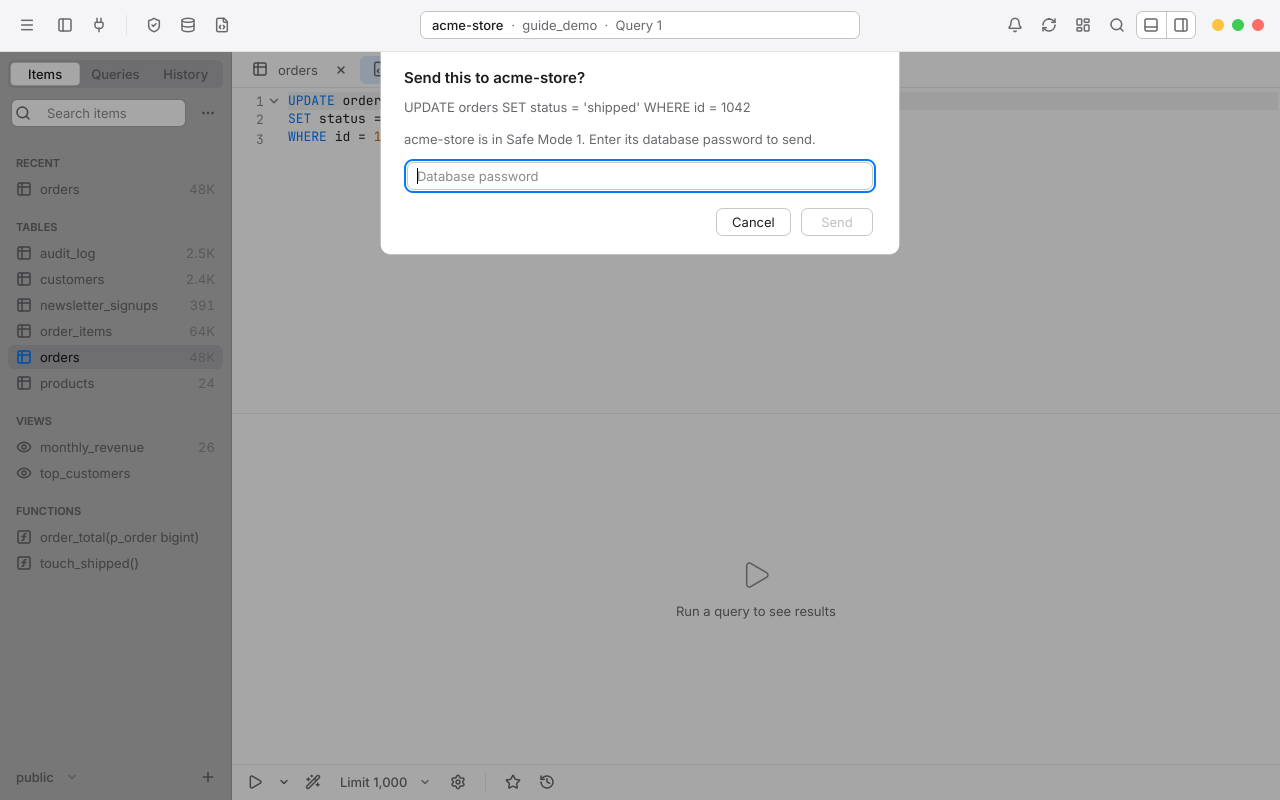
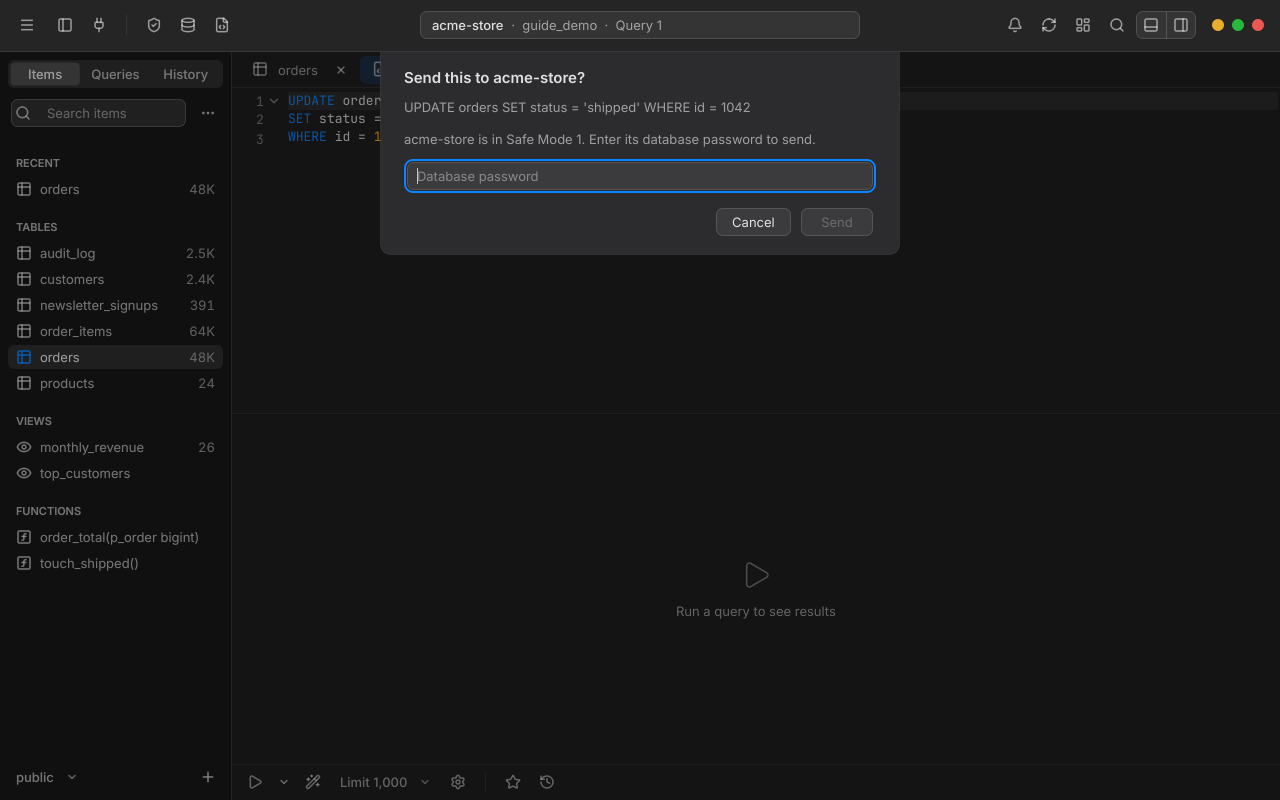
A Safe Mode prompt asking for the database password before sending UPDATE orders SET status = 'shipped' WHERE id = 1042 to acme-store.
Production

Production looks like production.

Tag a connection Production and it gets a red strip under the toolbar and Safe Mode 2, which asks for the password before anything but a read.

Principles

Four rules the app is built on

  1. The UI thread never waits on the network or the database.

    Every connection has its own worker thread that owns the libpq connection. Jobs go down and row batches come back, so the window always responds.

  2. Nothing is written until you commit.

    Data and structure edits go into a change set. Commit runs them inside one transaction as parameterized statements, and rolls back on any error.

  3. Tables without a primary key are read-only.

    Rowan only edits rows it can identify for certain. It never guesses a row's identity.

  4. One set of design tokens.

    Colors, sizes, spacing, radii and fonts come from a single theme, which generates the style sheet and palette for both light and dark.

Quality

Every bug, written down

Before the installer phase, Rowan went through a full QA pass: code reviews, screenshot sweeps at every window size, theme and scale, and hands-on testing. Every issue is in the bug tracker with its severity and status.

issues logged
355
fixed
346
won't fix, each with its reason
9
open
0

Fixes come with a regression test wherever one is practical, and each batch of fixes was reviewed before it was closed.

Severity
LevelMeaningIssues logged
P0Data loss, wrong SQL committed, a safety feature bypassed, or the app unrecoverable10 logged
P1A feature broken or clearly wrong, or a common frustration35 logged
P2An edge-case bug, visible inconsistency, or rough resize behavior129 logged
P3Polish181 logged

Platform

Made for Windows

Rowan is in pre-release, at version 0.1.0. It supports PostgreSQL only; a macOS version from the same codebase is planned.

  • Windows 10 and 11

    On 64-bit (x64) PCs, drawn crisply at 100%, 150% and 200% scaling, and across screens with different scaling.

  • PostgreSQL

    Any version the PostgreSQL project still supports, on your computer, your network, in the cloud or through an SSH tunnel.

  • Looks like it belongs

    Light and dark themes that follow Windows, accent colors, Comfortable and Compact densities, and a translucent Mica sidebar on Windows 11.

  • Through the Microsoft Store

    A free trial with every feature. If you buy, your connections, saved queries and settings stay as they were.

Try Rowan on your own database.

Install the free trial from the Microsoft Store, connect to a server, and open a table.

Pre-release · v0.1.0 · Windows 10 & 11